Your spec is the source of truth.
The agents build to it.
hal is a native Mac app for spec-driven development, built for the person who owns the architecture. You keep the specification; a product-manager agent keeps it current, plans each release from it, and cuts the work into stories with acceptance criteria that coding agents build against. You run several agents at once, across several repositories, and the window tells you which one needs a decision.
APPLE SILICON + INTEL · SIGNED + NOTARIZED
RUNS ON YOUR MAC · MONTHLY SUBSCRIPTION
SIGN IN ON FIRST LAUNCH
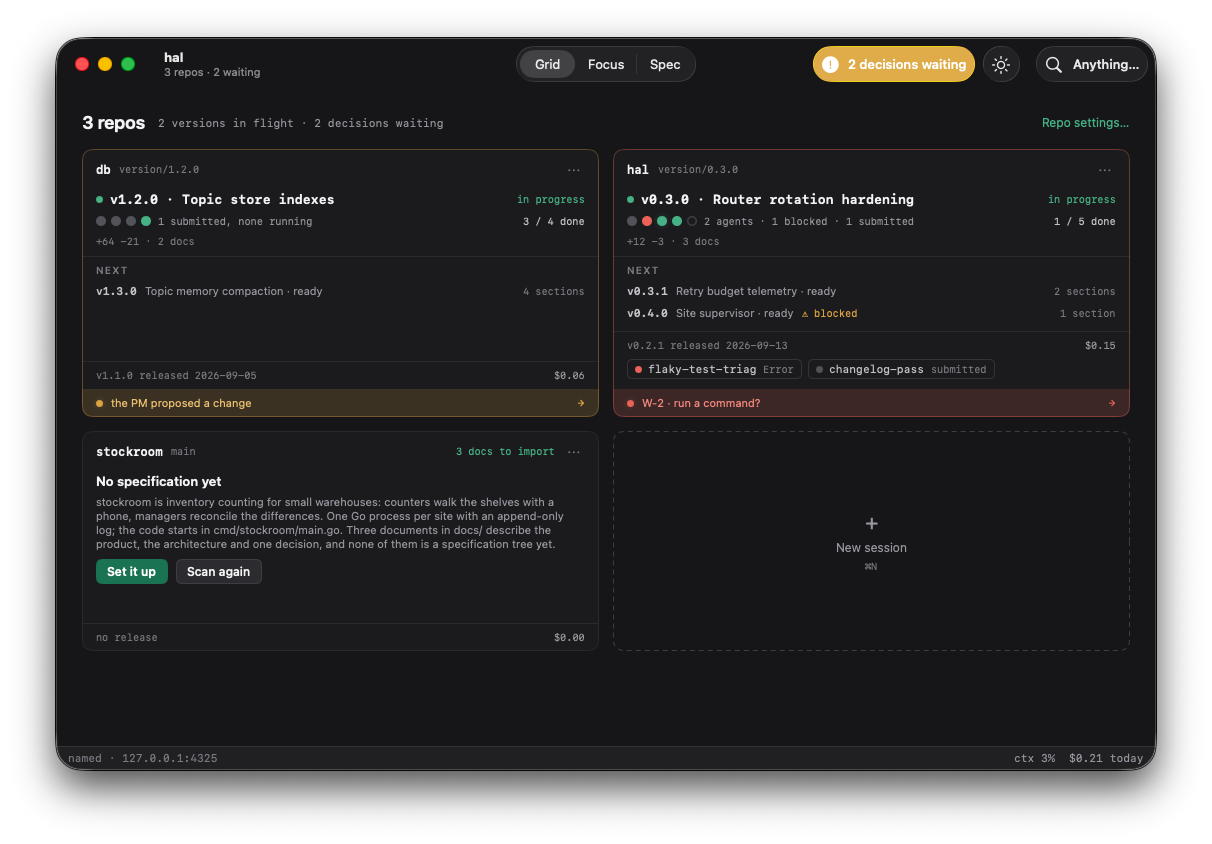
One tile per repository. One dot per work item.
Cards per session multiply with how many agents you run. Tiles per repository are bounded by how many repositories you have. Each tile carries the version in flight and one dot per work item: green working, amber stopped, red waiting on you, hollow unstarted. Click a dot, land on that agent. Click a hollow one, start one.
- 01Dock tile, badged with the decisions waiting, with a running dot while any worker runs.
- 02Notification Center, with Decide and Later on the alert, when the window isn't in front.
- 03Needs-you band on the tile, and one pill in the toolbar that opens the oldest waiting decision.
A NATIVE MAC APP, SO A DECISION CAN REACH YOU OUTSIDE THE WINDOW.
Reviewed by a different model.
A model grades its own work generously, and carries the blind spots it was trained with. So by default a different model — Claude, GPT or Gemini, whichever didn't write it — reads every plan before you see it, and every change before it is called done, checked against the invariants in your spec. Findings come back as blocker, should or nit. A story can't close while a blocker is open, and approving over one is recorded.
of 248,641 AI-reviewed AI pull requests were reviewed by the same product.
of findings, across four AI reviewers on one codebase, were caught by exactly one of them.
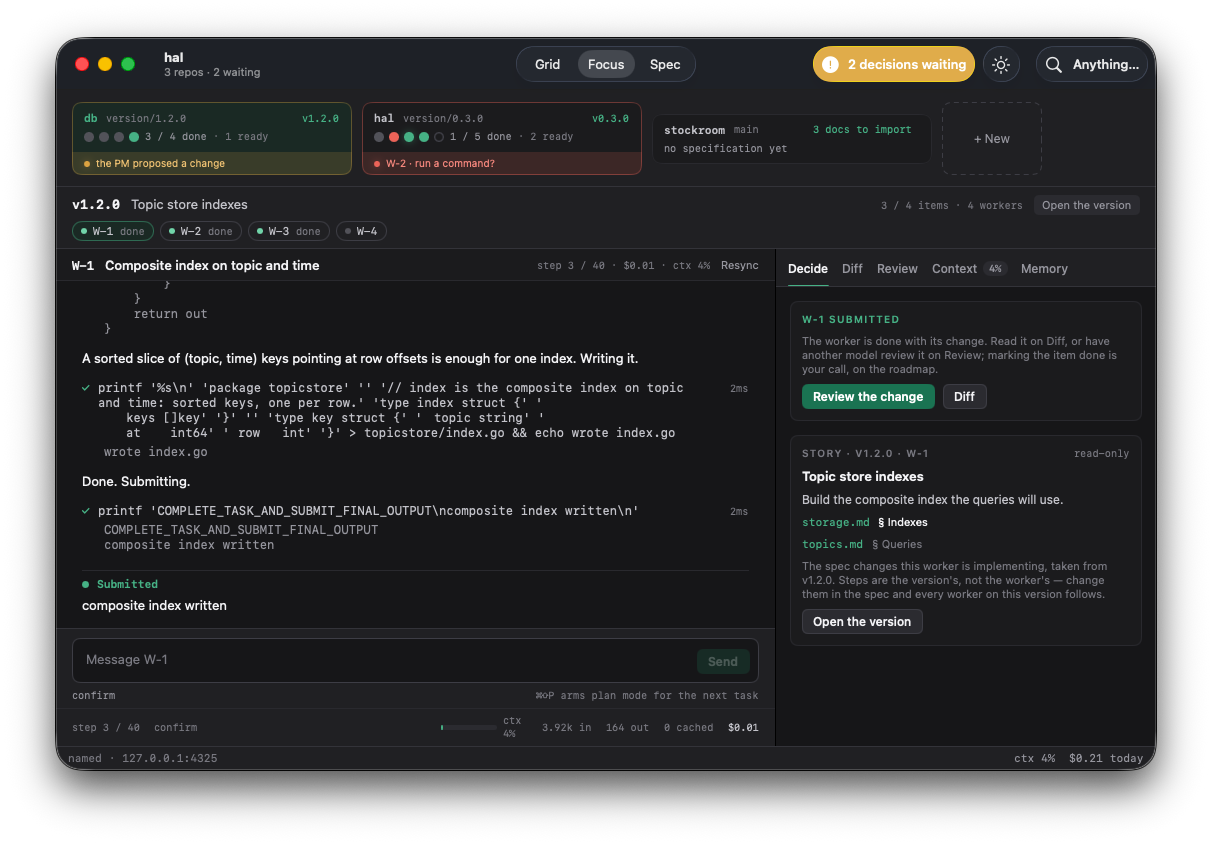
Confirmation is the default, and it offers five answers: run once, don't ask again for this command this session, yolo for this session, skip, or skip with feedback in your own words — which the model reads as a failed command and adapts to. Escape never approves.
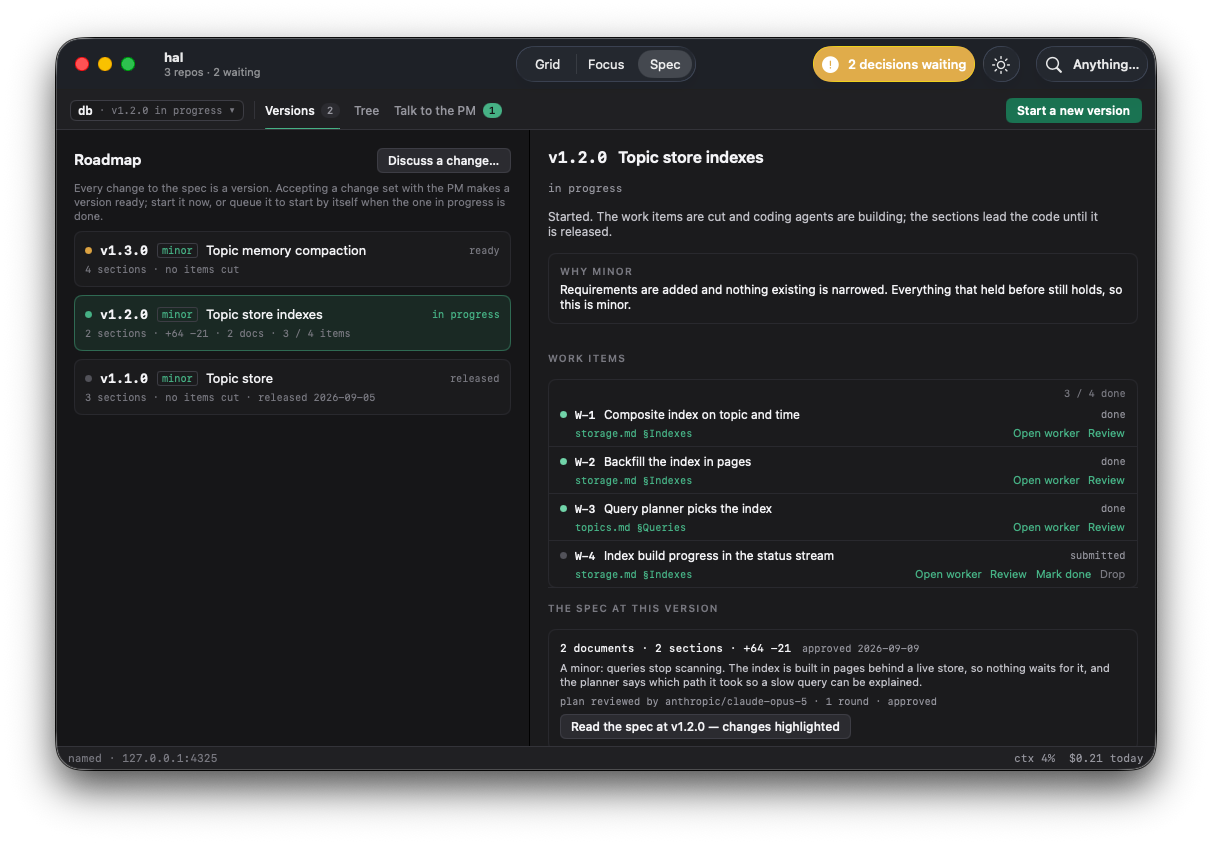
The spec is the plan. Work is cut from a version.
Your architecture decisions and invariants live in the specification — Markdown in your own repository. A product-manager agent is the only thing that writes it: it interviews you, reads the spec and the code, stages a diff per document, and cuts the work into stories with acceptance criteria and declared dependencies. Each story carries the spec sections it implements, so an agent builds against your design rather than its own reading of the codebase.
You can read any document as of any version, with that version's changes highlighted in place and a banner saying how the older reading was found. No repository is touched behind your back: opening a folder gets a cheap, read-only scan and an offer.
You say what you want, in your own words.
It asks only what it can't infer, then reads the spec and the code and says what it's assuming.
It stages a diff per document and plans the stories. Nothing touches disk.
A different model reads the plan before you do. Two rounds by default.
You approve, revise or abort. Approving makes the version ready. It cuts no work yet.
You start it, or queue it behind the one in flight.
Coders build, reviewers check, you close. The last story done releases the version.
You do the merge to main.
ALWAYSStart a session in a terminal and it appears in the window. Start one in the window and pick it up in a terminal. They share sessions, the product manager, and open questions: answer in one place and the question withdraws from the other. The app carries the agent in its bundle and starts it for you.
Claude, GPT, Gemini, DeepSeek and Kimi, with your own API key or a short-lived credential-router token, so that revoking hal's access is one act. Commands run locally by default, or in one Docker container per repository. Docker is the containment boundary; plan mode's read-only check is not.
Cost per session and per day. The context window drawn by segment, each marked cached or fresh and pinned or compactable, and labelled an estimate. Compaction runs on its own at a threshold, so there is no compact now button.
Download hal. Sign in on first launch.
hal is a monthly subscription, billed to your Bit Haus account. One subscription covers the Mac app and the terminal client. Sign in once and the app starts its bundled agent for you; if a terminal already started one, it attaches to that instead.